Musical Instruments
About Musical Instruments
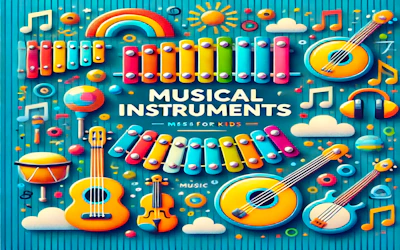
Musical Instruments is a free browser game that introduces children to music through nine different instruments. There are no levels or scores to worry about, just sounds to explore. Kids can tap or click on each instrument to hear its unique tone, experiment with combinations, and start putting together simple melodies at their own pace.
How to play Musical Instruments
Open the game in your browser and choose from nine musical instruments on screen. Tap or click an instrument to hear the sound it makes. Try each one to learn how it sounds different from the others, then play around by tapping in different patterns to create your own melodies and get a feel for rhythm. The interface is simple, so no instructions are needed to start playing.
Tips for playing Musical Instruments
- Try tapping each of the nine instruments one by one to learn how they sound before mixing them together.
- Repeat a simple tapping pattern a few times to practice keeping a steady rhythm.
- Let younger children explore freely first, then encourage them to try making a short melody.
Frequently asked questions
Is Musical Instruments free to play?
Yes, it is completely free and runs directly in your browser with no download needed.
How many instruments are in the game?
The game features nine different musical instruments that each make a unique sound when tapped or clicked.
Is this game suitable for young children?
Yes, it is designed to introduce kids to music through a simple, intuitive interface that requires no complex instructions.